The Problem: The Context Wall
If you have ever tried to learn AI API programming, you must have heard about the notorious problem of context. LLMs are incredibly smart, but they are essentially "frozen" in time based on their training data. They don't know your specific business data, your internal documents, or your latest user logs.
When first encountering this wall, it is common to hear about fine-tuning the model as the ultimate fix. But let's be honest, fine-tuning comes with massive headaches:
- It is incredibly hard to manage.
- It is expensive to set up.
- It is a nightmare to sustain as your data keeps changing.
So, how is this solved? The answer is a concept called RAG. Let's talk about what RAG is in the simplest way possible, and eventually take it to the next level.
Breaking Down RAG (Retrieval-Augmented Generation)
At their core, LLMs are just generating the most probable next word. They are essentially predicting similar text based on what they have seen. There is a saying in the AI world that the better and more specific the input (the prompt), the more accurate the results will be.
In order to educate the LLM about specific interests and provide context, it is necessary to provide a highly specific prompt that includes the relevant information needed to find the best answer.
At its most basic level, this is RAG. Business information is stored and then concatenated into the prompt, giving the LLM the exact context it needs to answer.
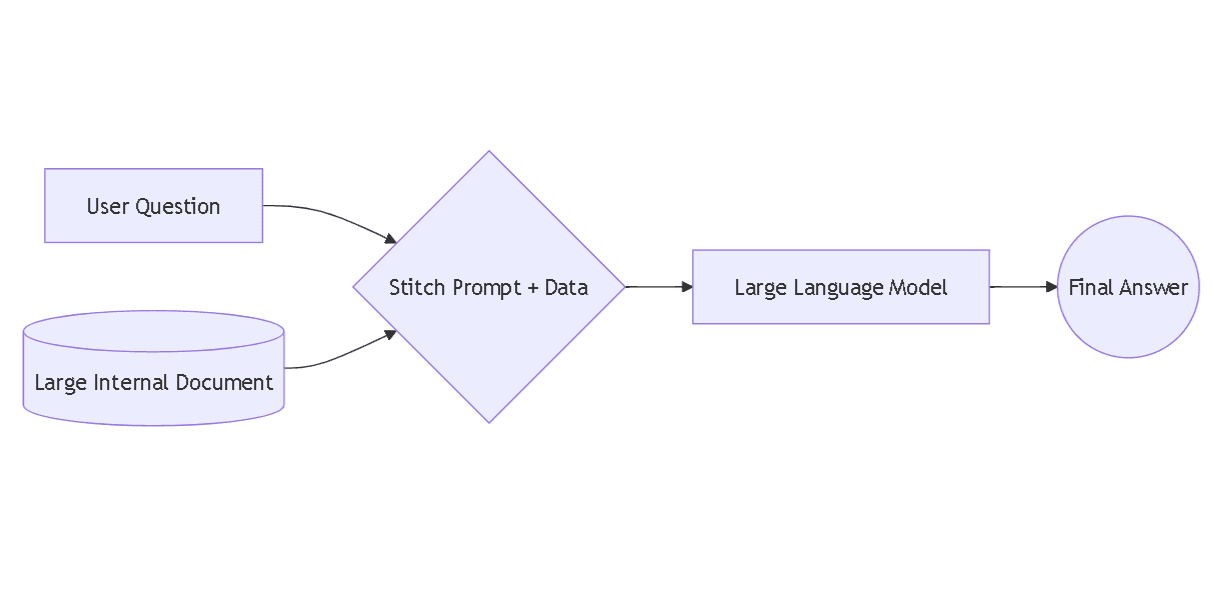
But it is not that simple. Let's look at the problems in this approach, one by one, and see how to solve them.
Problem 1: The Giant Text File
Imagine storing all business info in a text doc and providing it to the AI inside the prompt. Passing a 2 GB text file to an LLM every time a question is asked simply won't work.
LLMs have a strict limit on how much data they can process at one time. This isn't about how many parameters were used to train the model; it is about the "short-term memory," which is called the context window.
Since it is impossible to give all the data to the LLM at once, there needs to be a way to manage data and only provide the specific part that is relevant at the exact moment of the query.
Solution 1: Let's Chunk It
Let's think from first principles. The size of the text data is way too large. What can be done to decrease it?
One idea is to compress it by eliminating repeated words or summarizing. However, this introduces risks:
- It might change the core meaning of some sentences.
- It might introduce false truths to the LLM.
- It guarantees the LLM will not answer properly.
So, let's try something else. Most of the time, a large block of text talks continuously about a specific subject. What if this massive log of data is broken into smaller planks? For example, a large text containing 1,000 words could be broken into 5 chunks of 200 words each.
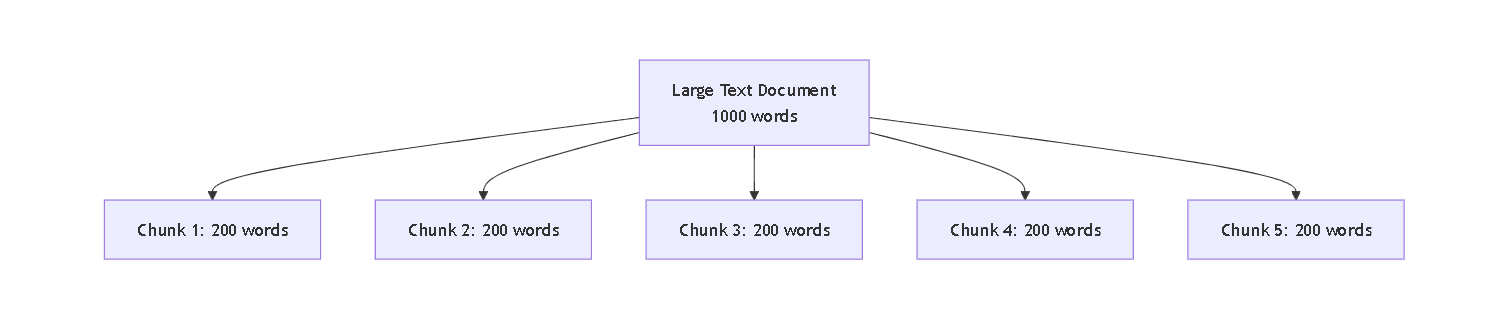
But now there is a new question. How is it possible to know which 200-word chunk is the most relevant to the prompt at any given moment?
Problem 2: Finding the Right Chunk
One way is to put something like topic tags or names on these planks. A map could be created that says, "This topic is related to this specific piece of text." Then, when a prompt is provided, the system checks which topic matches best and attaches only that chunk to the prompt.
This is a much better position to be in. The text size is reduced drastically and relevant context is attached. But it is still not the best approach. What if the chunk picked did not contain all the info on the topic? Context might be missed entirely.
To solve this, the strategy can be improved:
- Increase the chunks: Retrieve the top k (top 3 or 5) relevant chunks instead of one.
- Add overlapping: Overlap chunks by a few words so context isn't lost in a hard slice.
Problem 3: Scalability
This is a better state than the last one, but let's look at scalability.
Chunking all the text, manually assigning tags, storing them separately, and managing the overlaps will get messy. Plus, searching through manual tags every time a question is asked is not the most reliable way because tags might not even be assigned properly.
So, how is this finally solved for real?
The Solution: Vectorization and Semantic Search
This is where the magic of vectorization, embeddings, vector databases, and semantic search comes in. Let's break them down.
Vectorization and Embeddings
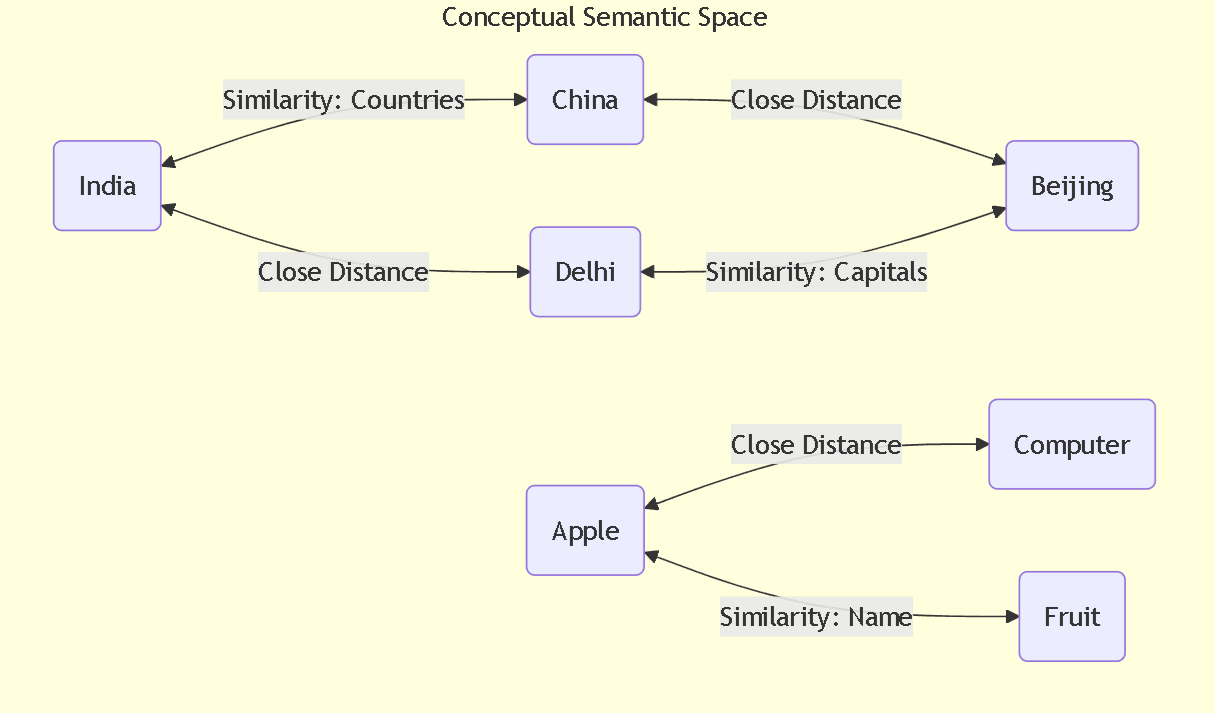
Imagine a massive, multi-dimensional space. Vectorization is the process of converting text chunks into numbers (coordinates) and placing them in this space. These numerical representations are called embeddings. The cool part is that the math places concepts with similar meanings closer to each other, keeping relationships intact. For example, the mathematical distance between "India" and "Delhi" will be very similar to the distance between "China" and "Beijing". This gives the computer a way to actually understand relationships.
Vector Databases
Since standard databases are not built to handle massive lists of multi-dimensional coordinates, Vector Databases are used instead. They are specifically built to store these embeddings and search through them incredibly fast.
Semantic Search
Instead of searching for exact keyword matches or manual tags, semantic search looks at the meaning of the prompt. It converts the prompt into an embedding, drops it into that multi-dimensional space, and gathers the text chunks that are physically closest to it.
The Standard RAG Cycle
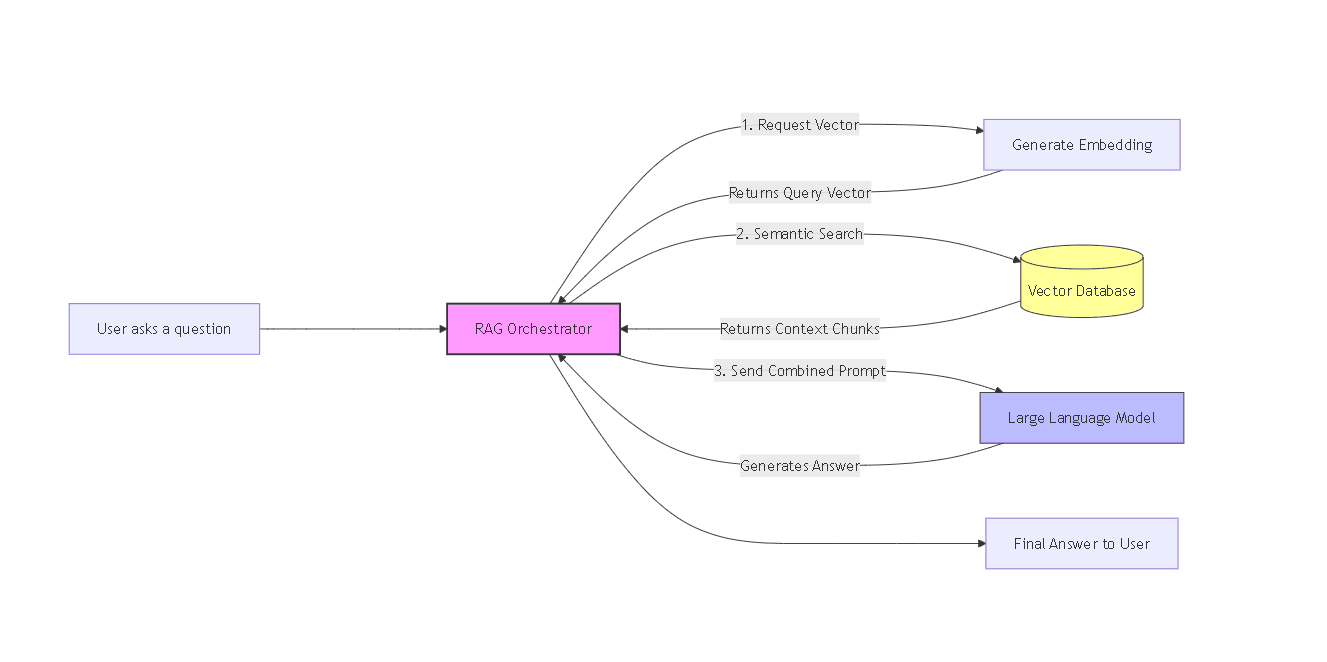
What does a standard, basic RAG setup actually look like in practice? It is a simple cycle:
- Prep the data: Chunk data, convert to embeddings, and save in a Vector DB.
- The User Prompt: The system receives the user's question.
- Search: Embed the question to run a semantic search for top k text chunks.
- Augment: Gather the relevant chunks and stitch them into the prompt.
- Generate: Send the contextual prompt to the LLM for a highly accurate response.
Wrapping Up
This cycle is the most basic, foundational version of RAG. It works wonders for standard text.
But what happens when it gets complex? Over time, it becomes clear that some data is not easily chunkable. Take legal documents for example. They are full of external references, cross-sections, and complex clauses that break if they are just chopped up into 200-word blocks.
How is that tackled? Well, that requires some advanced RAG techniques, but I might discuss those in a future blog.